
Blog / Education
Modem, Router and Access Point: What's the Difference?
By dbl
22 Aug 2018
Readers: 42Views: 42
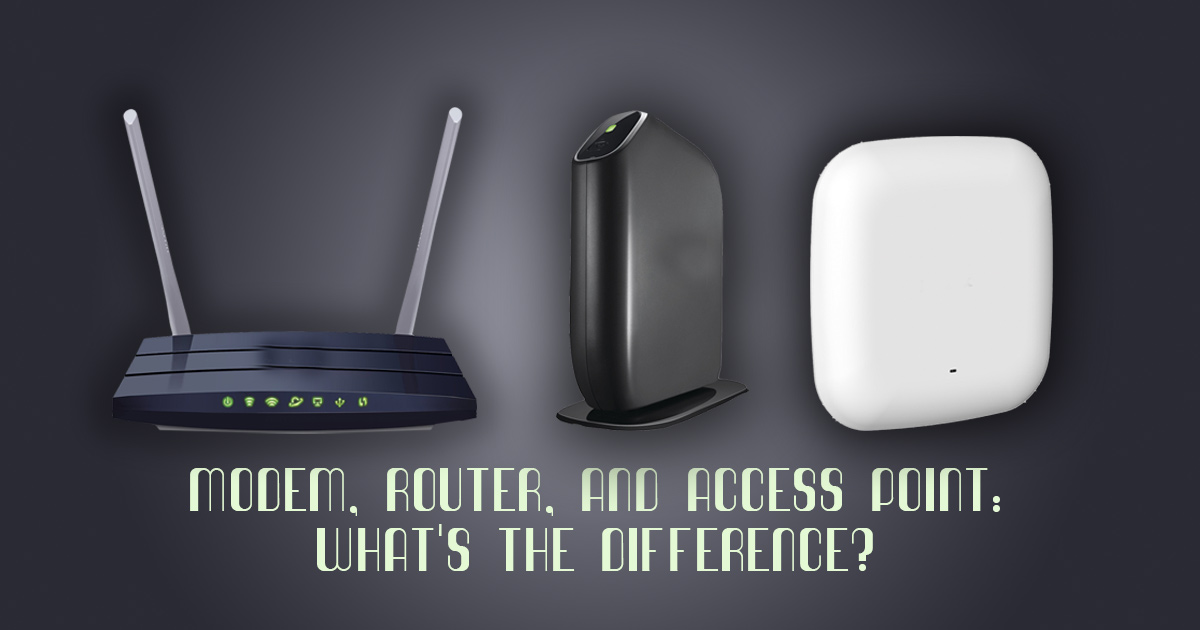
Modem Router and Access Point: What's the Difference?
Modem, Router and Access Point: What's the Difference? Do you know the difference between, say, a switch and a hub? Keeping straight the devices that help you access the internet is no small feat. This guide explains it all. Connecting to the internet seems simple. You hop on your Wi-Fi, load up Facebook, and boom: you're connected! But when something goes wrong—or it's time to upgrade your equipment to something faster—you'll need to understand what all those little black boxes actually do. Here's a quick rundown of the basic networking gear that keeps your home connected.
A Modem Connects You to the Internet
 A modem is your gateway to the internet—a cable, fiber optic, or telephone line comes through your neighborhood, to your house, and connects to your modem. The modem translates the digital 1s and 0s from your computer into analog information for the cable or telephone wire to carry out to the world, and translates incoming analog signals in the same way. This is called modulation and demodulation, respectively, and it’s where the “mo-dem” gets its name.
Typically, your internet service provider (ISP) will provide you with a modem for a small monthly fee. Depending on which ISP you use, however, you may be able to buy your own modem and save some money.
A modem is your gateway to the internet—a cable, fiber optic, or telephone line comes through your neighborhood, to your house, and connects to your modem. The modem translates the digital 1s and 0s from your computer into analog information for the cable or telephone wire to carry out to the world, and translates incoming analog signals in the same way. This is called modulation and demodulation, respectively, and it’s where the “mo-dem” gets its name.
Typically, your internet service provider (ISP) will provide you with a modem for a small monthly fee. Depending on which ISP you use, however, you may be able to buy your own modem and save some money.
A Router Connects Your Devices to the Modem (and Each Other)
If you only had one computer in your house, you could plug it straight into the modem with an Ethernet cable and call it a day—you'd be connected to the internet and watching cat videos instantly. But most people have more than one computer in their house, not to mention smartphones, tablets, e-readers, and a host of other devices. Standalone modems aren't able to send data to multiple devices simultaneously: they usually only have one Ethernet port, and only produce one IP address, which identifies your location to the internet (kind of like your street address does in the real world).
A router connects all your home's devices to each other—through Ethernet cables or Wi-Fi—and then connects to the modem. It gives each device its own internal IP address, which it uses to route traffic between them. If your modem's IP address is like the street address of a building, your router's internal IP addresses are like apartment numbers. Your modem receives information from the internet, sends it to the router, and the router sends it to the computer that asked for it. (That way, your phone doesn't receive the cat videos you asked for on your laptop.)
The network created by your router is known as a local area network, or LAN, and it connects you to a larger wide area network, or WAN. In most home cases, your WAN is, for all intents and purposes, the internet.
Not all routers include Wi-Fi—some merely connect computers with Ethernet cables. That's where the next piece of equipment comes in.
But most people have more than one computer in their house, not to mention smartphones, tablets, e-readers, and a host of other devices. Standalone modems aren't able to send data to multiple devices simultaneously: they usually only have one Ethernet port, and only produce one IP address, which identifies your location to the internet (kind of like your street address does in the real world).
A router connects all your home's devices to each other—through Ethernet cables or Wi-Fi—and then connects to the modem. It gives each device its own internal IP address, which it uses to route traffic between them. If your modem's IP address is like the street address of a building, your router's internal IP addresses are like apartment numbers. Your modem receives information from the internet, sends it to the router, and the router sends it to the computer that asked for it. (That way, your phone doesn't receive the cat videos you asked for on your laptop.)
The network created by your router is known as a local area network, or LAN, and it connects you to a larger wide area network, or WAN. In most home cases, your WAN is, for all intents and purposes, the internet.
Not all routers include Wi-Fi—some merely connect computers with Ethernet cables. That's where the next piece of equipment comes in.
An Access Point Adds Wireless Connectivity
Once upon a time, all computers connected to the internet through a jumble of wires. Today, though, we have the ability to connect all those devices to your home network (and thus, the internet) over Wi-Fi. To do that, you need something to broadcast that wireless signal.
A wireless access point connects to your router, usually over Ethernet, and communicates with your Ethernet-less devices over wireless frequencies. Most home users have routers with wireless access points built in, but standalone access points are still common for businesses, since you can pair multiple access points together to extend your network over a large area.
 More recently, mesh network kits have become common for larger homes with lots of dead spots, since they allow multiple units to blanket your house in Wi-Fi more effectively than range extenders. These can act as wireless access points if you already have a router, or they can take on the job of a router as well—though usually with fewer advanced features.
 All routers come with built-in Ethernet ports, but depending on the size and class of router you buy, you may not have enough to plug in all your devices—especially in the age of smart home tech, which often require numerous, hard-wired base stations.
If you run out of Ethernet ports on your router, a switch can add more Ethernet ports to your network. You just plug your extra devices into the switch, plug the switch into your router, and they'll appear on your network.
Note that you need a router in order to use a switch. A switch can't assign IP addresses or create a network like your router can—it merely acts as a traffic cop for the signals coming through.
In addition, don't confuse a switch with a hub, which looks almost identical, but acts very differently: instead of routing traffic between multiple devices, a hub merely takes an incoming signal and copies it to all devices on the hub. These are uncommon in modern home usage.
All routers come with built-in Ethernet ports, but depending on the size and class of router you buy, you may not have enough to plug in all your devices—especially in the age of smart home tech, which often require numerous, hard-wired base stations.
If you run out of Ethernet ports on your router, a switch can add more Ethernet ports to your network. You just plug your extra devices into the switch, plug the switch into your router, and they'll appear on your network.
Note that you need a router in order to use a switch. A switch can't assign IP addresses or create a network like your router can—it merely acts as a traffic cop for the signals coming through.
In addition, don't confuse a switch with a hub, which looks almost identical, but acts very differently: instead of routing traffic between multiple devices, a hub merely takes an incoming signal and copies it to all devices on the hub. These are uncommon in modern home usage.

More recently, mesh network kits have become common for larger homes with lots of dead spots, since they allow multiple units to blanket your house in Wi-Fi more effectively than range extenders. These can act as wireless access points if you already have a router, or they can take on the job of a router as well—though usually with fewer advanced features.
A Switch Connects Extra Computers to the Router
All routers come with built-in Ethernet ports, but depending on the size and class of router you buy, you may not have enough to plug in all your devices—especially in the age of smart home tech, which often require numerous, hard-wired base stations.
If you run out of Ethernet ports on your router, a switch can add more Ethernet ports to your network. You just plug your extra devices into the switch, plug the switch into your router, and they'll appear on your network.
Note that you need a router in order to use a switch. A switch can't assign IP addresses or create a network like your router can—it merely acts as a traffic cop for the signals coming through.
In addition, don't confuse a switch with a hub, which looks almost identical, but acts very differently: instead of routing traffic between multiple devices, a hub merely takes an incoming signal and copies it to all devices on the hub. These are uncommon in modern home usage.
These Features Can Be Combined Into Single Units
Not everyone has a separate modem, router, and access point in their home. These days, you'll find a lot of these features combined into one device. For example, as we mentioned above, most people use wireless routers, which combine a router with a wireless access point. Many people even use modem/router combo units, which contain a modem, router, and wireless access point all in one device. These can save space and eliminate some wires, but just like shampoo and conditioner, some people like to keep these devices separate, since it allows for more choices.

Join the Conversation
D
Written by
dbl
Let's Build The Future
Ready to build something
extraordinary?
Join forward-thinking companies that trust Digitalbes to deliver scalable, high-performance digital solutions. Let's turn your vision into measurable growth.